Start by identifying the affected software
When a NAS alert arrives, put the notice beside the device inventory: Which program is affected? Is it installed? Which version is running? Who can reach it? Those answers determine what to update, which services to pause, and how to verify the result.
This article builds on our NAS sharing and isolation guide. Public Synology DSM and PHP2Shell advisories provide teaching examples, checked on November 1, 2026. Administrators fill in actual device records; this article does not assert that a laboratory has been patched or compromised.
Distinguish the notices: SA-24:20 was published in 2024; SA-26:13 concerns DSM; SA-26:14 concerns PHP2Shell and packages. A newly received notice need not describe a newly discovered vulnerability. Keep the notice date, advisory identifier, and CVE before checking applicability.
CVE, CVSS and CWE: identifier, score or weakness?
CVE gives publicly known vulnerabilities shared identifiers, allowing vendors, administrators and researchers to refer to the same issue. Check the affected products and conditions next; an identifier alone is not evidence of compromise.
CVSS describes technical severity. A score of 9.8 is not a 98% chance of intrusion. Local risk also depends on exposure, versions, data value and controls. We retain the advisories’ CVSS3 scores rather than mixing scoring versions.
CWE categorizes weaknesses that can cause vulnerabilities. A vendor Security Advisory (SA) connects products with remediation information. One advisory can contain several CVEs, and one weakness category can occur across products.
Identify the purpose of each item before applying it to a device.
Advisory reading cards
-
CVE: which vulnerability?
A shared identifier for the same issue.
-
CVSS: how severe?
Scores and vectors describe technical conditions and impact.
-
CWE: what weakness?
For example, output handling or randomness.
-
SA: what does the vendor fix?
Match products, versions and fixes.
These are categories, not a sequence of events.
Download SVG: Figure 1 | Four kinds of information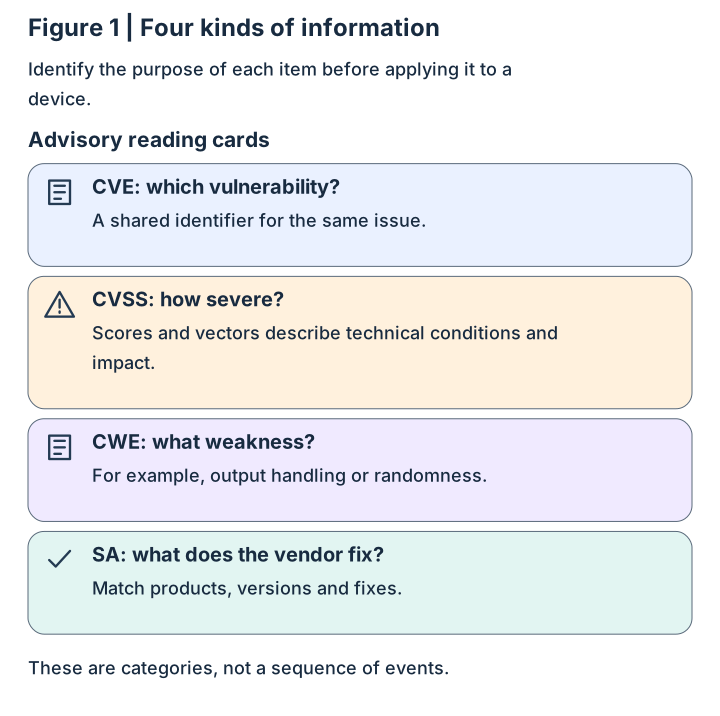
Is updating the operating system enough?
Think of a NAS as a computer offering shared storage: hardware runs an operating system, which hosts applications. DSM (DiskStation Manager) is Synology’s operating system; Package Center manages additional software. Separate update records show which layer was repaired.
A research website might use PHP to process requests. After a DSM update, check that website’s PHP and dependent packages too. Inventory installed and enabled functions first; there is no reason to install an unused package merely to check an advisory.
Names and colors distinguish layers whose versions need separate records.
Three layers in the device
-
Applications and packages
Installed functions such as PHP, Calendar and Mail Station.
-
DSM operating system
Manages accounts, files and system services.
-
Hardware and storage
Processor, memory, disks and network interfaces.
The cards describe roles within one device, not an attack sequence.
Download SVG: Figure 2 | Software layers inside one NAS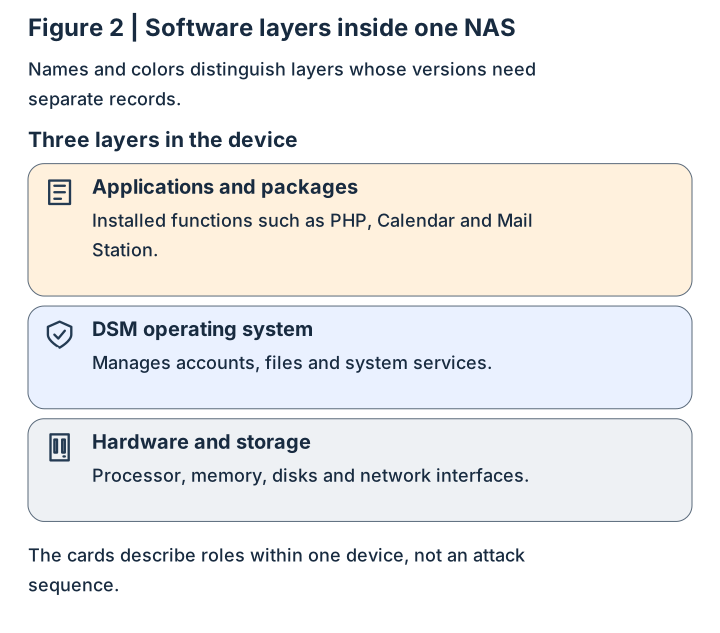
How does a web action reach the backend?
After you click a web button, a web service receives the request and passes work to backend code. SCGI (Simple Common Gateway Interface) is one interface for this communication. Think of a reception desk passing a form: the receiving program must interpret the format as intended.
Encoding and escaping preserve data’s meaning in an output format. Special characters in ordinary text may need context-specific handling so they are not interpreted as structure. This analogy explains CWE-116 without inventing exploit strings.
SA-26:13 classifies CVE-2026-13684 as an SCGI output-handling defect affecting file operations and availability. Check the DSM fix and control which paths can reach the service.
A conceptual web-service flow, not a verified DSM internal call chain.
Request handoff
-
Browser
Sends the user’s request.
-
Web service
Receives it and hands work to a backend interface.
-
Backend processing
Interprets the format and applies permissions.
Arrows show request handoff; the advisory defines exploitation conditions.
Download SVG: Figure 3 | Programs exchange structured requests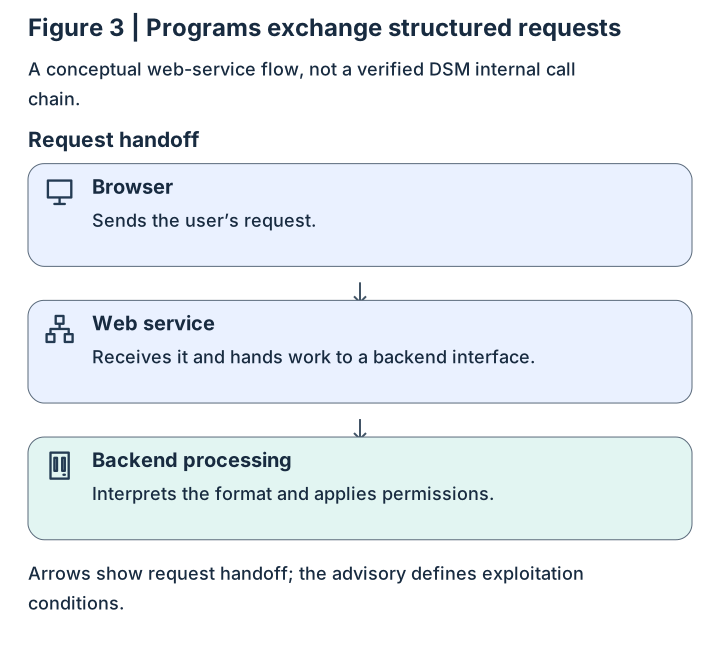
Why should security tokens be unpredictable?
Some security mechanisms generate temporary values to distinguish requests or verify identity. Predictable generation can expose values that should be difficult to guess. Entropy concerns unpredictability; random-looking text alone does not establish a secure process.
The diagram uses synthetic letters and numbers. Real design also considers the generator, length, secrecy, expiry and server checks. Three example strings cannot measure a real system’s entropy.
CVE-2026-13639 is classified as CWE-331 in DSM login logic. The pass analogy explains the concept without asserting a password-guessing or specific session-ID defect.
Compare example patterns, not the security of real tokens.
Synthetic pass comparison
-
Visible sequence
0001 → 0002 → 0003: the next value is easy to guess.
-
Less regular appearance
8KQ2, F9T4, M3R7: the generation process still needs review.
These are not actual DSM values or formats and do not prove cryptographic strength.
Download SVG: Figure 4 | Is the pattern easy to predict?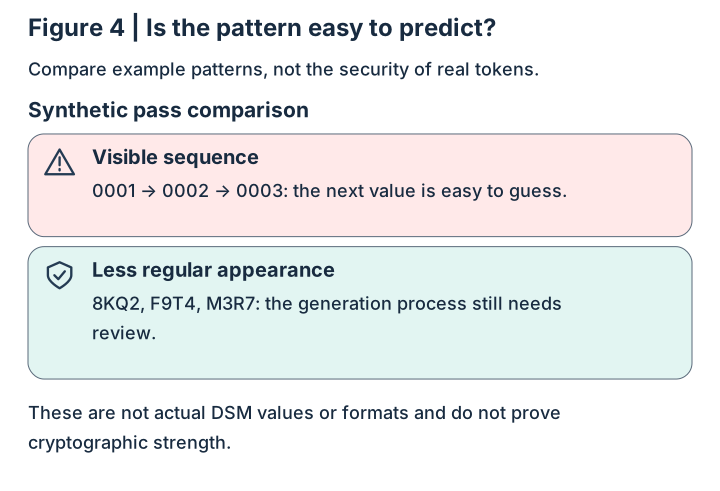
What can go wrong when memory is cleaned up?
PHP is commonly used for web backends. A program obtains memory, stores data and later releases it. If it runs out of memory (OOM), it must also clean up partially completed state.
The PHP2Shell advisories describe distinct defects: CVE-2026-109618 involves invalid or incompletely initialized request memory after an early OOM exit; CVE-2026-109619 involves global state still pointing to freed request memory. Later use can become unsafe.
Remote code execution (RCE) means an attacker may cause the affected program to execute unintended code. Its authority depends on the process identity, permissions and isolation. The diagram teaches state handling; remediation uses compatible patched packages and verification.
Read the normal sequence, then compare two state-management failures.
Normal lifecycle
-
Allocate
Prepare memory for request data.
-
Initialize and use
Use it after initialization.
-
Clean up and release
Clear references that are no longer valid.
Two advisory mechanisms
-
109618: early exit
Later processing uses invalid state after OOM.
-
109619: stale reference
State still points to memory after release.
The lower cards describe distinct mechanisms, not executable attack steps.
Download SVG: Figure 5 | A lifecycle and two distinct failures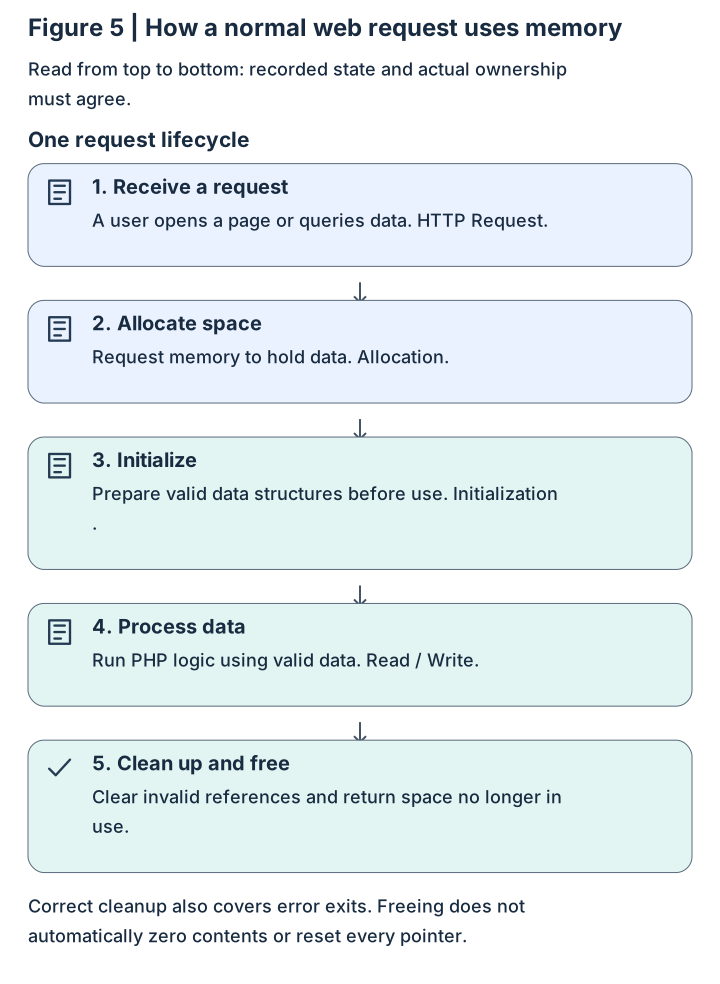
Which release should you compare against?
Record the model, complete DSM release and Update number, then find the advisory row for that release series. Keep suffixes; do not compare different branches as strings. Confirm the supported upgrade path for the model.
The table lists SA-26:13 fix thresholds, not a claim about the latest available release. Compare actual device records with the advisory. Version evidence also does not replace investigation of unusual logins or file changes.
Actual device values must be checked by the administrator.
Version-check sequence
-
Advisory conditions
Record product, branch and fix threshold.
-
Device record
Record model, full release, Update and inspection time.
-
Comparison result
Document fixed, update needed, or insufficient evidence.
Patch status and compromise status require separate evidence.
Download SVG: Figure 6 | Make a traceable version decision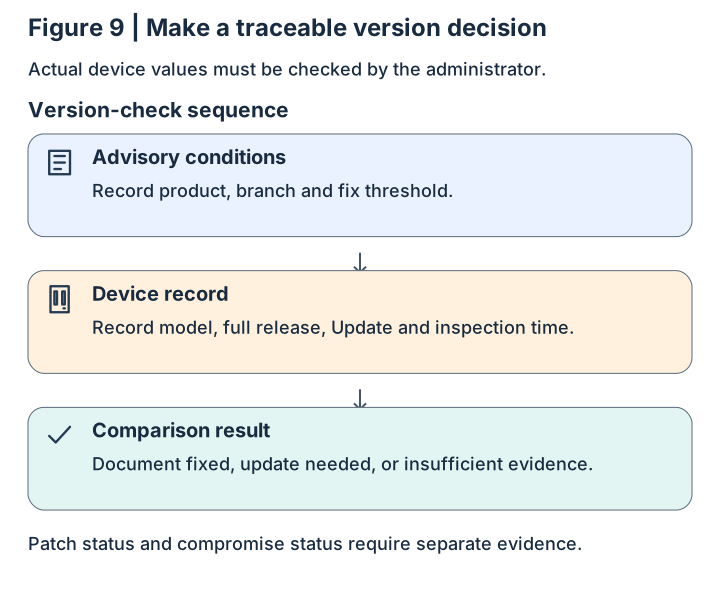
| DSM series | SA-26:13 fixed release or later |
|---|---|
| 7.4 | 7.4-90075 |
| 7.3 | 7.3.2-86009-4 |
| 7.2.2 | 7.2.2-72806-9 |
| 7.2.1 | 7.2.1-69057-12 |
What should you check in Package Center?
List installed packages and full releases before comparing the table. Thresholds for PHP 7.4, PHP 8.0, Calendar and Mail Station use the DSM 7.2-or-later rows; older DSM releases need their corresponding rows. PHP 7.3 is end of life: check dependencies, then plan migration or retirement.
On November 1, 2026, the English SA-26:14 page showed an October 29 update; the Polish locale showed October 31 and additional older-DSM thresholds. Both tables marked Hyper Backup “Not affected” for these vulnerabilities. Recheck the product table and date when applying it; backup usability still requires restore testing.
| Package | Fixed release or disposition |
|---|---|
| Calendar | 3.0.4-21435 |
| Mail Station | 30000002.3.19-20333 |
| PHP 7.3 | 停止支援;無修補 / End of life; no fix |
| PHP 7.4 | 7.4.33-0131 |
| PHP 8.0 | 8.0.30-0122 |
| PHP 8.1 | 8.1.34-0120 |
| PHP 8.2 | 8.2.35-0171 |
| PHP 8.3 | 8.3.36-0051 |
| PHP 8.4 | 8.4.27-0051 |
How can you update without opening Internet access?
First agree on a maintenance window, trustworthy backups and any evidence-preservation needs. If compromise is suspected, incident responders should decide the order of evidence collection and patching. Updating software and removing an intrusion are separate tasks.
Obtain compatible files in a trusted download environment, then transfer them under control into the isolated management network. DSM updates typically use .pat files and packages use .spk. Check the official source, model, version, dependencies and any vendor-provided integrity information. Do not simultaneously bridge the isolated management computer to the Internet.
The DSM 7.2 user guide, pages 18 and 25–26, documents Package Center manual installation and Control Panel manual updating. Confirm menus and upgrade paths for the actual DSM and model. Plan downtime, maintain power, and verify versions and required functions after completion.
Use a test folder and disposable files to verify access before restoring services incrementally. Keep before-and-after versions, times and results, with separate restore and permission-test evidence.
Arrows show file transfer and maintenance order, not a permanent network bridge.
Trusted download zone
-
Official update source
Obtain files for the model and supported upgrade path.
-
Download-side checks
Check provenance, version and vendor integrity information.
Controlled transfer
-
Controlled transfer
Move files through an approved process without bridging networks.
Isolated management zone
-
Management computer
Sign in through an approved internal path.
-
NAS installation and checks
Verify resulting versions, permissions and functions.
Fully offline installation depends on package dependencies and compatibility.
Download SVG: Figure 7 | Transfer files while preserving isolation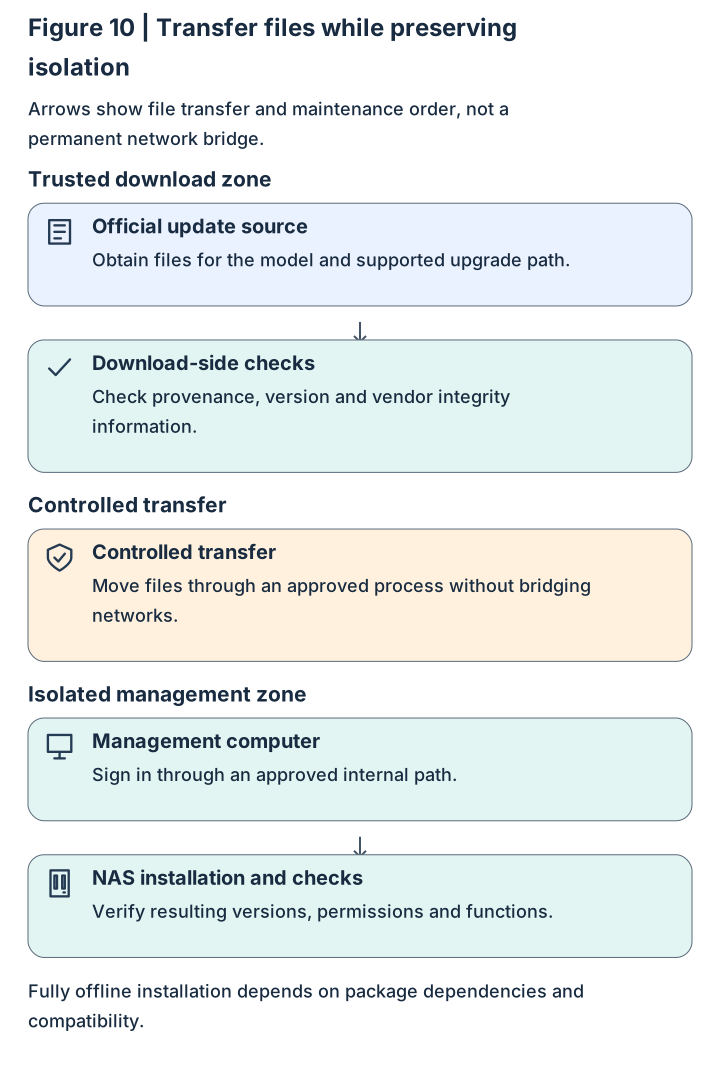
Why patch software behind an identity check?
Entry controls decide who can reach a service; patches repair the service itself. With Cloudflare Tunnel, an internal connector establishes an outbound channel. Identity allow rules need separate configuration, and NAS account and folder permissions remain necessary.
A reception desk checks visitors, while equipment inside still needs maintenance. Authorized users, stolen accounts or internal computers may reach the backend. Verify transport, identity rules, software versions and file permissions separately, including distinct web and SMB paths.
Controls work together, with separate acceptance evidence.
Conceptual service connection
-
User
Connects through an approved remote path.
-
Entry identity check
Allows or denies access according to policy.
-
NAS service
Runs patched software and checks account permissions.
Connection arrows do not imply that passing the entry grants all data permissions.
Download SVG: Figure 8 | Protect access, software and data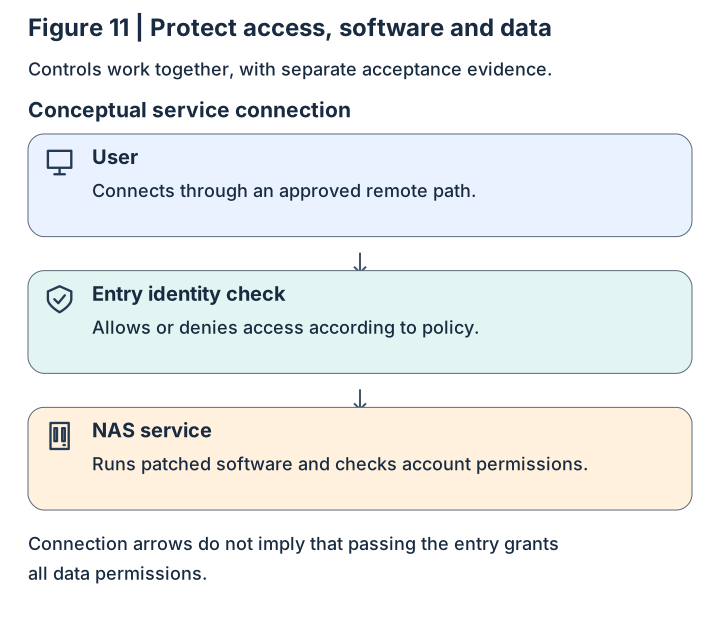
What evidence should remain after maintenance?
Keep five short records with inspection time, owner and reproducible results. When evidence is missing, identify what to obtain next. This is an administrator’s worksheet, not an automated security scan.
For sharing and isolation foundations, read the earlier NAS perspective. Together, the articles connect everyday use to advisory interpretation and maintenance checks.
- DSM: full release, Build, Update, advisory and comparison result.
- Packages: installed/enabled software, full versions, dependencies and disposition.
- Events: inspection scope for logins, accounts, services and file changes; incident owner when needed.
- Access: allowed and denied connection results, web/SMB routes and folder permissions.
- Recovery: independent backup location, retention and actual restore-test result.
Check your reasoning with one example
Tabletop scenario: DSM meets its advisory threshold, but the complete PHP 8.2 package release is unknown and an enabled website depends on PHP. List the missing evidence before answering. This exercise involves reading and recording, not exploitation or device changes.
Reasoning guide: check DSM and PHP independently, collecting full package releases, dependencies and reachable paths. Isolation limits exposure while patching repairs defects. A working tunnel is only one acceptance result; versions, identity, permissions and recovery need evidence too.
- Does a DSM update establish that PHP is patched? What record is needed?
- Which internal paths still need checking after Internet access is blocked?
- Before restoring service, how would you demonstrate that authorized actions succeed and unauthorized ones fail?