October 26 midday: one core concept at a time
1. What is LDAP?
LDAP (Lightweight Directory Access Protocol) lets programs query and operate on directory services.
A directory resembles an organizational contact list, arranging users, groups, and resources hierarchically. It may store data in a database, but a directory service, its underlying database, and the LDAP protocol are different things. Active Directory Domain Services (AD DS) is a directory service that supports LDAP, not another name for LDAP.
LDAP supports modifications as well as reads; this lesson covers only read-only enumeration within an authorized scope. OpenLDAP introduction
2. When is it useful?
Authorized account inventories, troubleshooting, and security reviews use LDAP to determine which accounts, groups, and organizational information are visible. Confirm the target, account, permitted search scope, and data-retention arrangements beforehand. Connectivity alone does not authorize arbitrary collection.
3. Understanding directories and search conditions
- Entry: an object in the directory, such as a user.
- Attribute: an object's field, such as cn (common name) or mail (email).
- DN (Distinguished Name): the entry's full name in the directory, for example cn=Mei,ou=People,dc=example,dc=test. ou means organizational unit; dc represents a domain component.
- Base DN: the entry where a search begins, like specifying a department to examine first.
- Scope: base examines only the starting entry; one examines only its immediate children; sub examines the starting entry and all descendants.
- Filter: conditions that entries must match, such as (cn=Mei).
- Returned attributes: the fields requested for matching entries; there is no need to collect everything.
Finding a name does not establish that the entire organization has been searched. Access rights, size limits, and time limits also affect results. RFC 4511 search specification
4. Separate Bind, query permissions, and encryption
Bind establishes the connection's identity/authorization state. Success does not grant all read and write permissions.
A successful anonymous Bind does not establish anonymous access to personnel listings. Successful named-account authentication does not establish permission to modify users or groups. Access controls determine permitted operations. RFC 4513
The common TCP 389 service can use StartTLS to enable TLS within an existing LDAP connection. LDAPS on TCP 636 establishes TLS before exchanging LDAP messages.
Port 389 alone does not establish unencrypted traffic, and port 636 alone does not establish safety. Confirm successful TLS, certificate validation, and server identity verification. A simple bind using an account name and password should not transmit them over a connection lacking appropriate protection. Microsoft LDAP over TLS guidance
5. A purely synthetic, read-only example
Suppose you are authorized to query a laboratory directory with a read-only account:
Search base: ou=People,dc=example,dc=test
Scope: one, only the immediate children of People
Filter: (cn=Mei)
Requested attributes: cn, mail
Suppose the response contains:
Name Mei, email [email protected].
This establishes only that the server returned the specified data for this entry under this identity, scope, and filter. It does not establish a complete account inventory, password access, or domain administrator privileges.
Even visible group membership requires checking a particular resource's authorization rules before concluding effective access. This is a paper example; no device was queried.
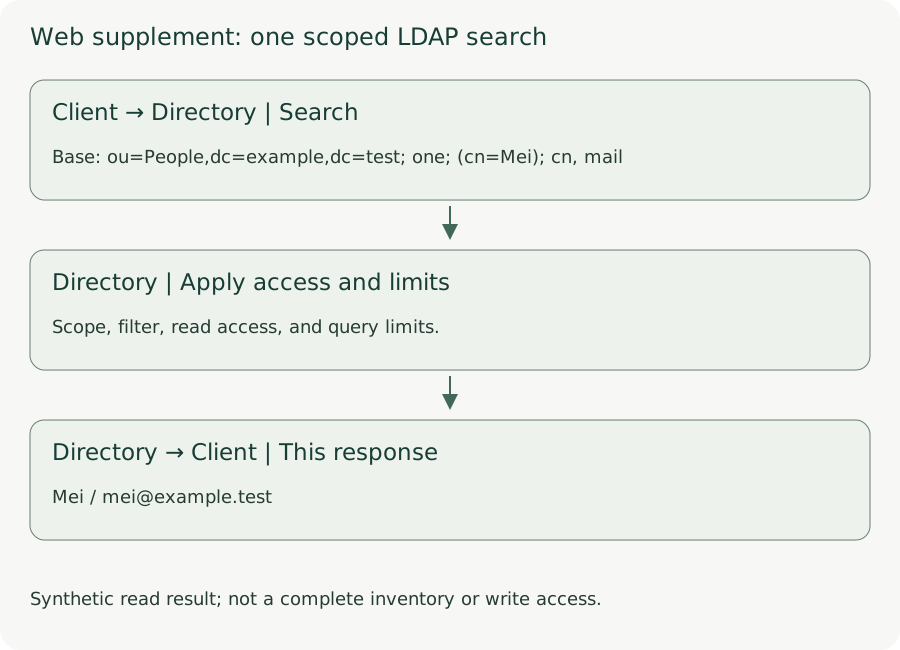
Synthetic read result; not a complete inventory or write access.
- Client → Directory | Search
Base: ou=People,dc=example,dc=test; one; (cn=Mei); cn, mail
- Directory | Apply access and limits
Scope, filter, read access, and query limits.
- Directory → Client | This response
Mei / [email protected]
6. Defenses and evidence interpretation
Restrict unnecessary anonymous reads, apply least privilege, protect connections and authentication information, and restrict query sources and scope as appropriate.
Record the query time, actual identity, Base DN, Scope, Filter, requested attributes, completion status, and result count. Do not retain passwords or unnecessary personal data.
To establish anonymous data exposure, identify the data actually read anonymously, rather than merely recording a successful Bind. Zero results do not establish that data does not exist: scope, filters, permissions, or query limits may affect the response.
Quick check:
Why does an anonymous search returning zero results not justify saying that the directory has no users? Name two factors that still need checking.
One or two sentences are enough.
Concept Q&A
Pending: related questions will be edited into anonymous teaching notes when available.