What is user enumeration?
Think of a company directory. Finding someone's name, employee number, and department helps identify the person. Access rules determine which rooms that person may enter.
Unix/Linux user enumeration means querying accounts, user IDs, groups, and related settings within an authorized scope. It helps inventory identities and examine information disclosure.
An account may belong to a service rather than a person. This lesson uses a Linux practice host you are authorized to access. Other Unix systems may have different tools and fields. This concept has no single fixed network port.
Accounts, UIDs, and GIDs
- Username: a human-readable account name, such as labuser.
- UID (user ID): the number the system uses to identify a user.
- GID (group ID): the number the system uses to identify a group.
- Primary and supplementary groups: an account has a primary group and may belong to additional groups used by permission rules.
Group membership is evidence to consider when checking access. The result also depends on the resource's settings and the identity held by the process performing the operation at that time.
Linux user and group credentials
Where are account records stored?
On Linux, /etc/passwd commonly stores local account records. Each line has seven colon-separated fields:
name:password-field:UID:primary-GID:comment:home-directory:login-programHere is a synthetic record:
labuser:x:1001:1001:Training User:/home/labuser:/bin/bashThis record gives labuser's user ID, primary group ID, comment, home directory, and configured login program. The number 1001 belongs to this example; it is not a universal value.
A common x value means password information is stored separately in shadow data. It is not the password itself. /etc/shadow holds sensitive password and aging information and should have restricted access. This lesson does not require retrieving or publishing it.
Ordinary users can usually read /etc/passwd so tools can map IDs to names. Assess disclosure risk based on the information exposed and its context.
Account fields | Shadow records
A synthetic example
The following is a hypothetical authorized Linux lab scenario. No queries were run. The administrator has designated the test account labuser and the files that may be checked.
In the host's terminal, enter:
getent passwd labuserSuppose the command returns the account record shown above. getent queries the account sources selected by the system's configuration. These may include local files and a centralized directory. Its coverage may therefore differ from reading /etc/passwd alone.
Next, query the specified account's identity and groups:
id labuserSuppose the response is:
uid=1001(labuser) gid=1001(labuser) groups=1001(labuser),3000(project)This lookup reports labuser's UID, primary GID, and the listed group memberships.
The agreed test session then attempts to read /srv/training/report.txt and receives Permission denied.
Record it this way: the account lookup returned labuser and membership in project; this test session's attempt to read report.txt was denied. Next, check the session identity, path, and permission settings.
There is a useful distinction: id labuser queries the named account, while id without an account reports the user and group information of its current execution context. An existing session may not yet reflect a recent group-membership change.
The same synthetic scenario has account, session, and operation evidence. Each describes its own conditions.
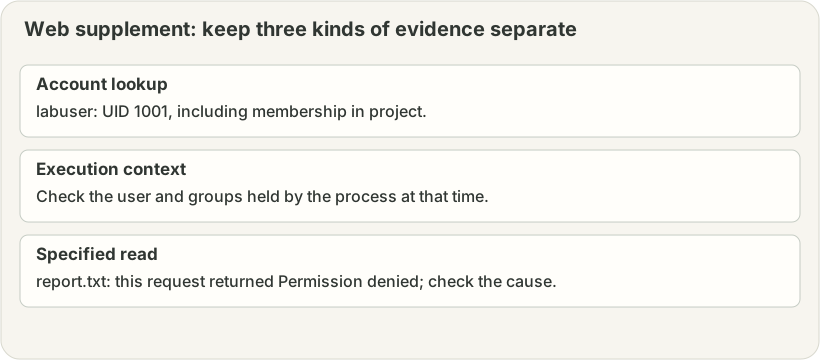
- Account lookup
labuser: UID 1001, including membership in project.
- Execution context
Check the user and groups held by the process at that time.
- Specified read
report.txt: this request returned Permission denied; check the cause.
Connect lookup results to permission checks
Reading a file requires checking both the file's read permission and search/traversal permission on directories along the path. Additional rules such as ACLs (access control lists) may affect the result. A group named project is not enough to establish access to a particular file.
The configured login program is a setting to investigate. Actual login also depends on the authentication method, account status, and service policy. Administrative actions require their own applicable authorization rules.
If a lookup returns no account, preserve the query method, response, and account-source settings at that time. Some sources support individual account lookups but not complete enumeration. Cache state, connectivity, and source configuration also need checking.
Paths and permissions | ACLs | NSS account sources
Defenses and evidence
Review which human and service accounts are still needed. Assign groups and resource access according to their work, protect sensitive data such as shadow records, limit information exposed by directory and login services, and retain appropriate authentication and permission-change logs.
Record the time, host, querying identity, command, account-source conditions, and complete response. For a file operation, also record the session identity, full path, action, and result. Public teaching examples use synthetic names rather than real account lists or sensitive data.
Quick check:
id labuser reports membership in project, but the test session receives Permission denied when reading /srv/training/report.txt. In two or three sentences, explain what has been established and which identity and permission conditions you would check next.
Concept Q&A
Pending: related questions will be edited into anonymous teaching notes when available.